Simple Assignment
This example shows how to build a simple four-problem assignment document using
pygacity build. All files for this example are in the
examples/simple_assignment/ directory.
The working directory contains one configuration file and four LaTeX problem source files:
simple_assignment/
├── SimpleAssignment.yaml       # pygacity configuration
├── simple_arithmetic.tex       # Problem 1
├── simple_derivatives.tex      # Problem 2
├── simple_integration.tex      # Problem 3
└── python_numerics.tex         # Problem 4 (uses pythontex)
The Configuration File
document:
  preamble:
    pagestyle: ~
    font: ~
    commands:
      Universityname: University of Nowhere
      Departmentname: Mechanical Engineering
      Instructorname: Eustace T. Smartypants
      Instructoremail: ets@unow.edu
      Coursename: BIO 5678 - Applied Pyrohydrodynamics
      Termcode: 202525
      Termname: Winter 2025-2026
  structure:
    - text: |
        \asnheader{Assignment 1: Random Topics}{January 13, 2026}
    - question_number: 1
      source: simple_arithmetic.tex
      points: 25
    - question_number: 2
      source: simple_derivatives.tex
      points: 25
    - question_number: 3
      source: simple_integration.tex
      points: 25
    - question_number: 4
      source: python_numerics.tex
      points: 25
build:
  job-name: Assignment
  paths:
    build-dir: ./build
The configuration has two top-level sections.
document.preamble supplies extra LaTeX preamble content injected before
\begin{document}. The commands sub-key sets autoprob class variables
(institution name, course, instructor, etc.) via \renewcommand. Setting
font and pagestyle to ~ (null) suppresses the built-in defaults,
allowing the commands block to fully control preamble content.
document.structure defines the document body as an ordered list of blocks:
A
textblock that injects a\asnheader{...}{...}command directly into the document to produce the assignment title and due date.Four question blocks, each identified by a
question_numberkey. Every question block has asourcekey pointing to its LaTeX fragment and apointskey; the point value is displayed next to the question number in the compiled output.
build names the job (used as the base filename for output PDFs) and sets the build directory where all generated files are written.
Problem Source Files
Each problem is a standalone LaTeX fragment. The \ifshowsolutions /
\fi guards allow the same file to be used for both the student version and
the solutions PDF.
simple_arithmetic.tex
\textbf{Simple Arithmetic.} Solve the following arithmetic problems:
\begin{enumerate}
\item[a.] What is \(12 \times 3\)?
\item[b.] What is \(45 \div 5\)?
\item[c.] What is \(7 + 8\)?
\end{enumerate}
\ifshowsolutions
\Solutionheader\\
The answers are:
\begin{enumerate}
\item[a.] \(36\)
\item[b.] \(9\)
\item[c.] \(15\)
\end{enumerate}
\fi
simple_derivatives.tex
\textbf{Simple Derivatives.} Compute the derivatives of the following functions:
\begin{enumerate}
    \item[a.] What is the derivative of \(f(x)=3x^3+2x^2+x+5\)?
    \item[b.] What is the derivative of \(f(x)=\sin(x)+x^2\)?
    \item[c.] What is the derivative of \(f(x)=e^{2x}+\ln(x)\)?
\end{enumerate}
\ifshowsolutions
\Solutionheader\\
The derivatives are:
\begin{enumerate}
    \item[a.] \(f'(x)=9x^2+4x+1\)
    \item[b.] \(f'(x)=\cos(x)+2x\)
    \item[c.] \(f'(x)=2e^{2x}+\frac{1}{x}\)
\end{enumerate}
\fi
simple_integration.tex
\textbf{Integration Problems.} Compute the following integrals:
\begin{enumerate}
\item[a.] What is the indefinite integral of \(f(x)=3x^2+2x+1\)?
\item[b.] What is the definite integral of \(f(x)=\cos(x)\) from \(0\) to \(\pi/2\)?
\item[c.] What is the indefinite integral of \(f(x)=e^{3x}\)?
\end{enumerate}
\ifshowsolutions
\Solutionheader\\
The integrals are:
\begin{enumerate}
\item[a.] \(\int f(x)dx = x^3 + x^2 + x + C\)
\item[b.] \(\int_0^{\pi/2} \cos(x) dx = 1\)
\item[c.] \(\int f(x)dx = \frac{1}{3} e^{3x} + C\)
\end{enumerate}
\fi
python_numerics.tex
This problem uses a pycode block to generate the polynomial expression
programmatically via pythontex. The \py{...} commands embed computed
values directly in the typeset output.
% standalone pythontext usage example
\begin{pycode}
import pygacity.pythontex.texutils as tu
from numpy.polynomial import Polynomial
roots = [1, -2, 1]
p = Polynomial.fromroots(roots)
coeff = r'[ '+', '.join([f'{x}' for x in p.coef.astype(int)])+r' ]'
polystr = tu.polynomial_as_tex(p)
col = ', '.join([f'{int(x)}' for x in roots])
res = f'the roots are {col}.'
\end{pycode}
\textbf{Numerics using Python.} Use Python to compute the roots of the following polynomial:
\[
	f(x)=\py{polystr}
\]
\ifshowsolutions
\Solutionheader\\
The following sequence of Python statements:
\begin{lstlisting}[style=mypython,escapeinside={(*}{*)}]
import numpy as np
r = np.roots((*\py{coeff}*))
print(r)
\end{lstlisting}
Produces the output\\
\texttt{\py{roots}}\\
So, \py{res}
\else
	\par\vspace{0.4cm}
\fi
Building the Document
From inside the simple_assignment/ directory, run:
pygacity build SimpleAssignment.yaml
Pygacity reads the configuration, assembles the LaTeX source, runs latexmk
with XeLaTeX (and pythontex where needed), and writes the results to the build/
directory specified in the configuration.
Output
After a successful build, the build/ directory contains:
Assignment.pdf— the student-facing document (solutions hidden)Assignment_soln.pdf— the instructor copy with solutions shownbuildfiles.zip/solnbuildfiles.zip— zipped LaTeX sources for each versiontex_artifacts.zip— intermediate LaTeX artifacts
Both PDFs are generated from the same set of source files; pygacity passes
the appropriate flag to the autoprob document class to control solution
visibility.
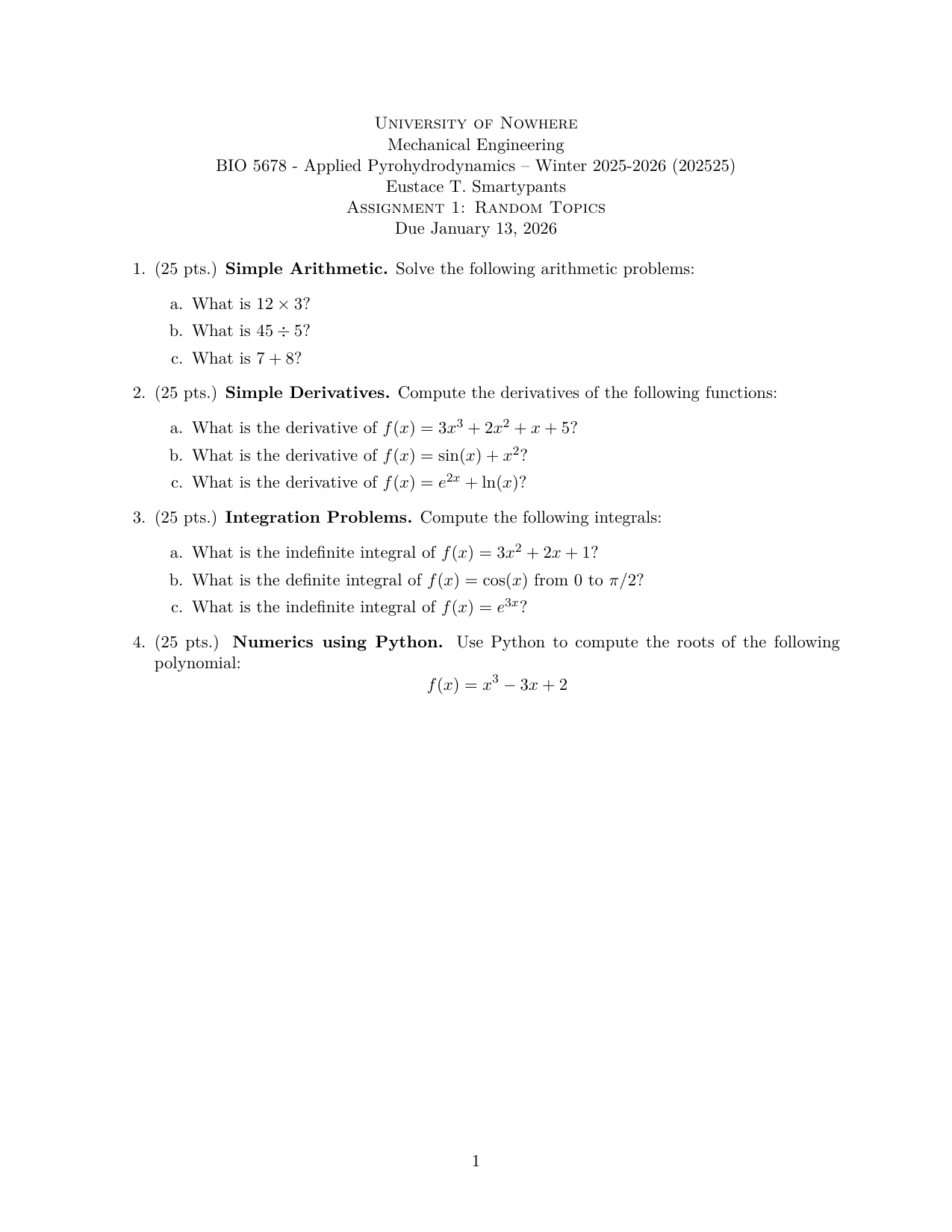
Student version (Assignment.pdf) — all four problems fit on a single page:
Solutions version (Assignment_soln.pdf) — the same document with
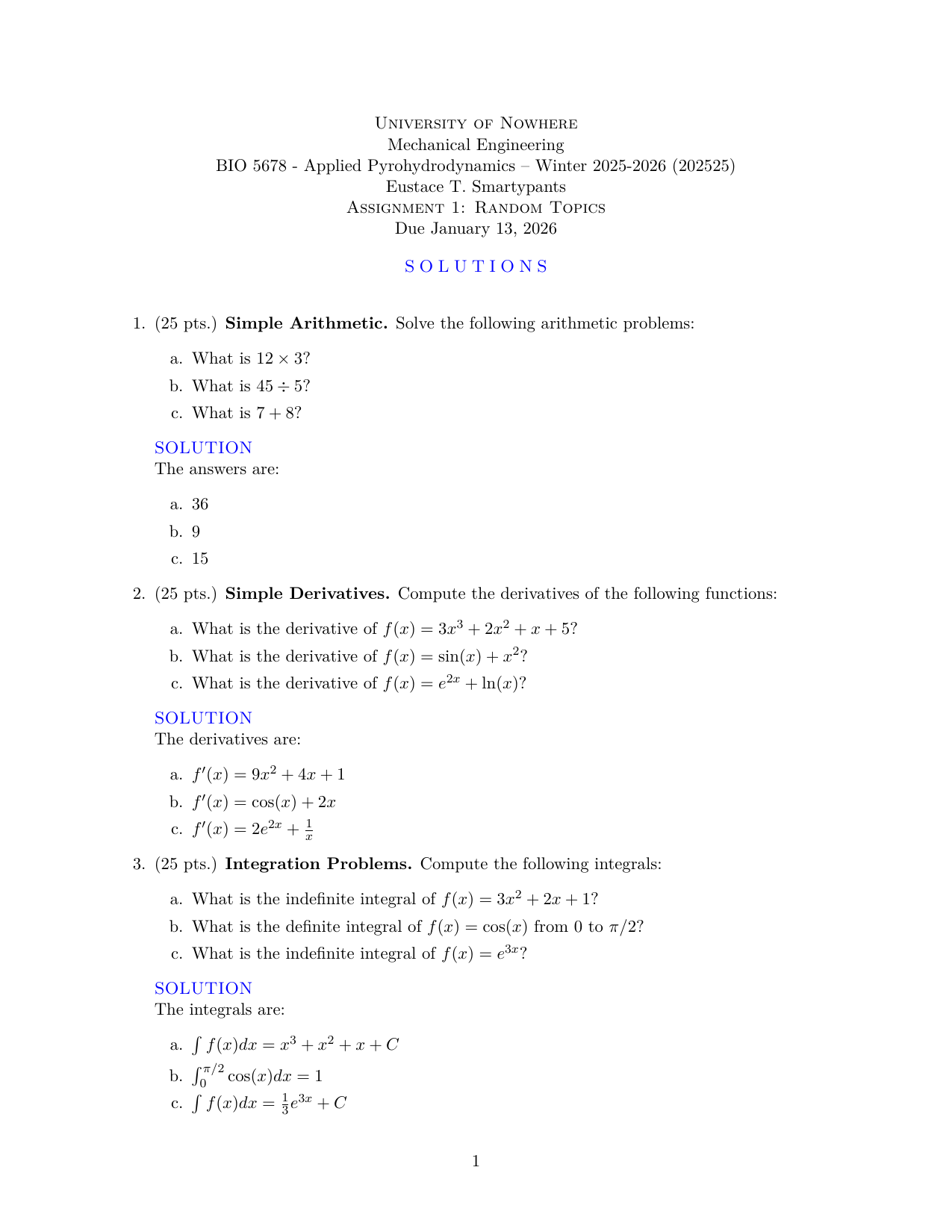
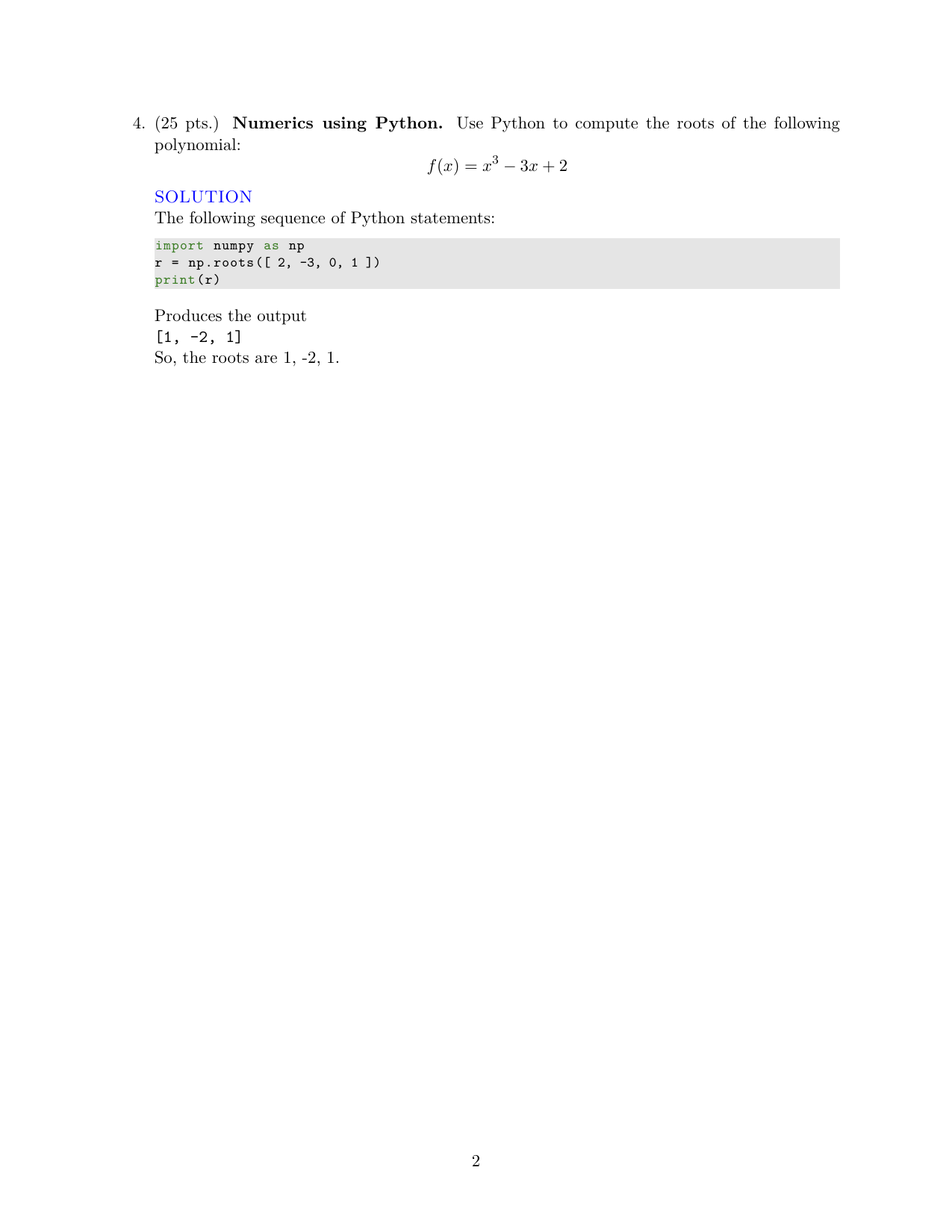
solutions revealed. Problems 1–3 appear on page 1; the pythontex-generated
Problem 4 solution continues on page 2: